If you’re trying to understand how Spam Assassin tests work but find the official documentation a bit tricky, don’t worry. Let’s break it down in simpler terms. Spam Assassin uses many tests to figure out if an email is spam or not. Each test gives the email a score, and if the total score is too high, the email is marked as spam. Here’s an easier guide to help you understand these tests better.
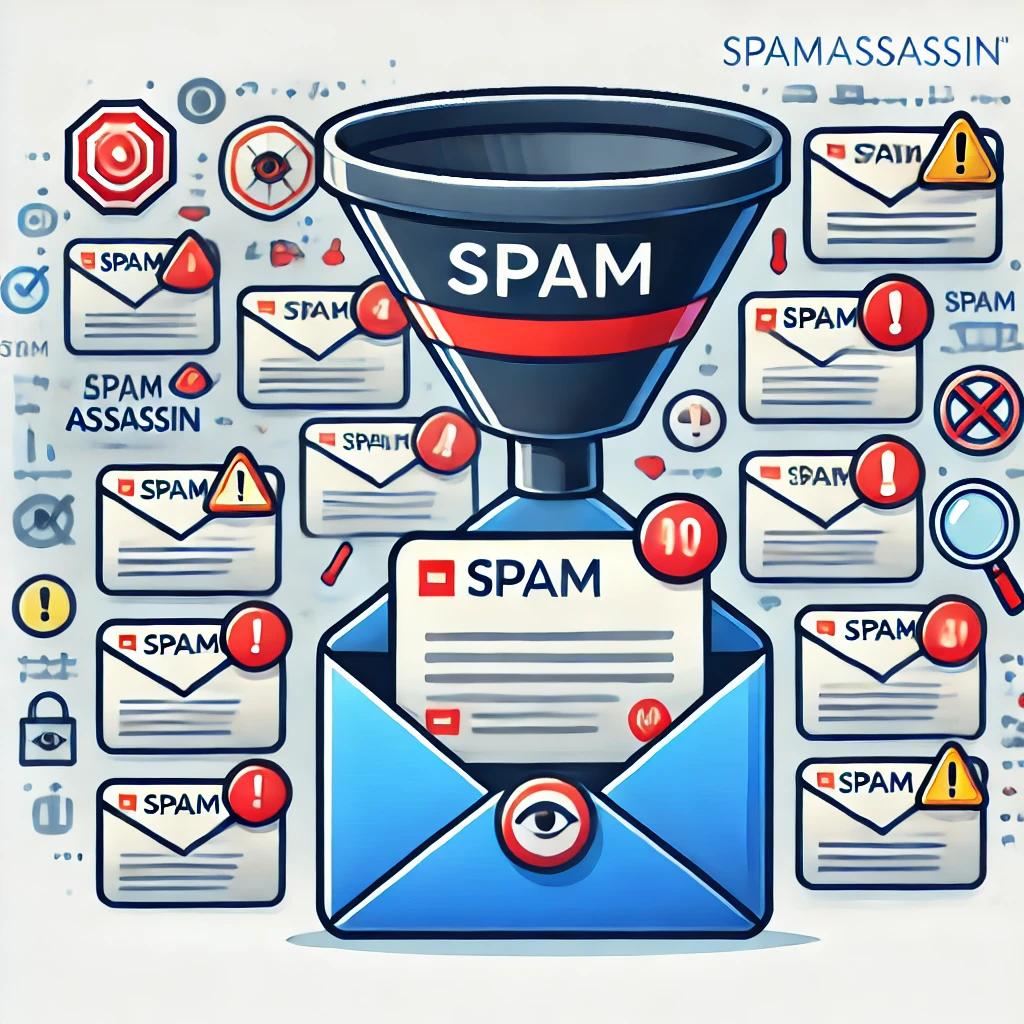
First understand what Spam Assassin actually is? It is like a big, smart filter that checks emails to see if they might be spam. Spam is those unwanted emails that you might get, like advertisements or scam messages. Spam Assassin looks at each email and performs many tests on it. Each test adds points to the email’s score. If the score is too high, the email gets marked as spam and might be sent to the spam folder instead of your inbox.
Why Do We Need Spam Assassin?
Emails are a big part of our daily lives, but not all emails are useful. Some emails can be annoying, like when people send lots of advertisements that you didn’t ask for. Others can be dangerous, like scam emails trying to trick you into giving away personal information. Spam Assassin helps to keep your inbox clean and safe by sorting out these bad emails.
Understanding Spam Assassin Tests
Spam Assassin uses a bunch of tests to decide if an email is spam or not. Each test looks for different signs of spam. Let’s learn more about these tests:
1. Official Spam Assassin Documentation
This is like the big instruction manual for Spam Assassin. It has all the details on how Spam Assassin works and how to set it up. You can find it on the Spam Assassin Documentation Site. This site is very detailed and can be a bit complex, but it has all the information you need. (https://spamassassin.apache.org/doc.html )
2. Spam Assassin Rule Descriptions
There are websites that explain what each test does. These sites are like cheat sheets for Spam Assassin tests. Here are two good ones:
- Spam Assassin Rules: This website lists all the rules and gives a simple explanation for each one.
- Spam Assassin Rules Emporium: Another site that explains the tests in detail.
3. Third-Party Guides and Blogs
There are also blogs and guides made by other people that explain Spam Assassin in simple terms:
- MailChannels Blog: They have a post called “Understanding Spam Assassin Rules” that explains some common tests in easy-to-understand language.
- MXToolbox: This site helps you understand Spam Assassin rules and how to read them. It has tools that can analyze emails for you.
4. Community Forums and Discussions
Sometimes, talking to other people can help a lot. There are online communities where people discuss Spam Assassin and help each other out:
- Spam Assassin Users Mailing List: You can read other people’s questions and answers about Spam Assassin here.
- Stack Exchange (Server Fault): A community where people discuss technical stuff, including Spam Assassin.
Examples of Common Spam Assassin Tests
Let’s look at a few common tests that Spam Assassin uses. These tests help decide if an email is spam:
BAYES_99
This test means the filter is 99% sure the email is spam based on past emails it has seen. Spam Assassin learns from the emails you mark as spam and uses this knowledge to find new spam emails.
SPF_FAIL
This test checks if the email is sent from a place it shouldn’t be. If it fails, the email might be fake. SPF stands for Sender Policy Framework, which helps to make sure the email is really from the address it says it’s from.
DKIM_ADSP_ALL
This test looks at the email’s signature to see if it’s properly signed. If it’s not, the email could be suspicious. DKIM stands for DomainKeys Identified Mail, which is like a digital signature for emails.
HTML_IMAGE_RATIO_02
This test checks if the email has too many images compared to text, which is common in spam. Spammers often use lots of images to try to trick spam filters, so this test helps catch those emails.
Practical Tips for Using Spam Assassin
Here are some tips to help you deal with Spam Assassin tests and keep your inbox clean:
Analyze Your Spam Reports
When an email is marked as spam, Spam Assassin gives a score breakdown. This shows which tests the email failed. By looking at this breakdown, you can understand why an email was marked as spam.
Use Spam Assassin Testing Tools
There are tools like MXToolbox’s Spam Assassin Score Checker that can help you understand why an email was marked as spam. These tools analyze the email and explain which tests it failed.
Adjust Scoring
If some tests are marking good emails as spam, you can change their scores in the Spam Assassin settings. This is like telling Spam Assassin to be a bit less strict on certain tests.
Diving Deeper into Spam Assassin
Let’s explore a bit more about how Spam Assassin works and why it’s so important:
How Does Spam Assassin Work?
Spam Assassin looks at the content and headers of an email. It checks for certain patterns and signs that are common in spam emails. Each test adds points to the email’s score. If the score is too high, the email gets marked as spam.
Spam Assassin also uses machine learning. It learns from the emails you mark as spam and uses this knowledge to improve its spam detection. This makes Spam Assassin smarter over time.
Setting Up Spam Assassin
To set up Spam Assassin, you need to install it on your email server. Then, you can configure it to suit your needs. This includes setting the spam score threshold and adjusting the scores for different tests.
Customizing Spam Assassin
You can customize Spam Assassin to make it work better for you. This includes:
- Adjusting Test Scores: You can change the scores that different tests give to emails. This helps if you find that some tests are too strict or too lenient.
- Adding Your Own Rules: You can create your own tests to catch specific types of spam.
- Training the Bayesian Filter: The Bayesian filter learns from the emails you mark as spam. You can train it by feeding it more examples of spam and non-spam emails. It is the best way to filter out the unwanted emails by mentioning certain words.
Why Spam Assassin is Important
Spam Assassin is important because it helps keep your inbox clean and safe. Spam emails can be annoying, but they can also be dangerous. Some spam emails are scams that try to steal your personal information. Others might have viruses or other harmful software.
By using Spam Assassin, you can reduce the number of spam emails you get. This makes it easier to find the emails that are important to you. It also helps protect you from scams and viruses.
So, the next time you see a spam email, you’ll know that Spam Assassin is working hard behind the scenes to keep your inbox free from junk!